My SmartBike app, iWoc remotes, ANT+, serial number and lights.
Legend eBikes use an iWoc remote as standard. Depending on the production year, the bike is equipped with an iWoc 5 or iWoc TRIO+. These compact MAHLE controls use LEDs rather than an LCD screen.
iWoc 5 and iWoc TRIO+
Both remotes allow you to switch the electrical system on and off, change the assistance level, control compatible lights and check the battery level.
For detailed real-time information, install the free My SmartBike app on a compatible Android or iOS smartphone and connect it to the bike via Bluetooth.
User manuals are available here: Technical documentation, apps and links
iWoc 5
The iWoc 5 has three function buttons, two rows of white LEDs and Bluetooth connectivity. It was the standard remote on models produced up to 2022.
Functions
iWoc TRIO+
The iWoc TRIO+ has three function buttons, two central RGB LEDs, Bluetooth and ANT+ connectivity. It has been the standard remote since 2023.
Functions
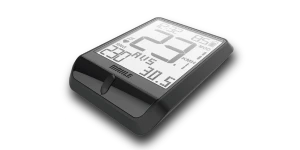
PULSAR ONE
The optional PULSAR ONE display requires an iWoc TRIO+. Bluetooth and ANT+ connectivity allow the bike to communicate with compatible external devices, such as heart-rate and cadence sensors.
Description
You can find the PULSAR ONE product description on our website. For more information about ANT+, see What is the difference between ANT and ANT+?
Manual
The PULSAR ONE instruction manual is available on our manuals page.
Compatibility with iWoc 5 and iWoc TRIO+
Legend eBikes equipped with an iWoc 5 can be upgraded to an iWoc TRIO+.
You can purchase a PULSAR ONE with a paired iWoc TRIO+, ready to install on your eBike. Provide your eBike's serial number when ordering so that we can configure the system correctly and supply it ready for plug-and-play installation.
Online dashboard
On your personal dashboard at www.my-smartbike.com, you can view route data such as maximum, minimum and average speed, calories, elevation and ride time.
Integrated services such as STRAVA allow you to share activities and compare them with other users.
The app and online dashboard give you access to more information than the standard LED remote alone.
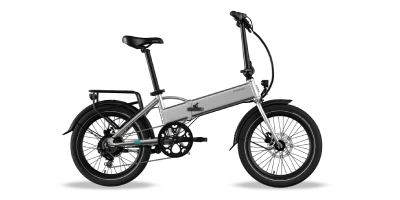
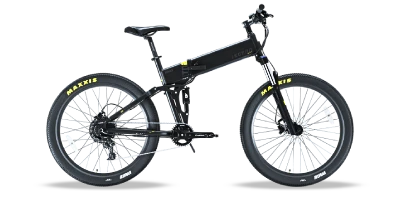
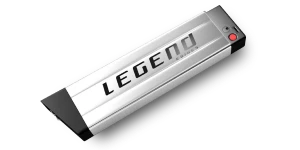
The Legend Monza and Etna have a 5 V USB port integrated into the INFrame battery.
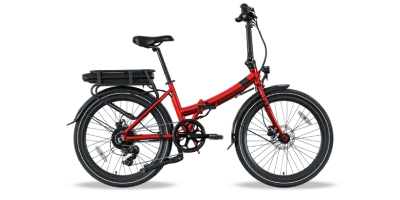
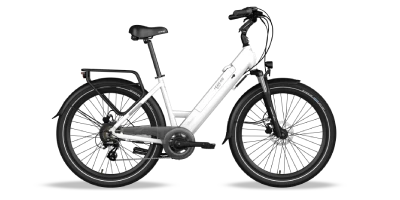
The batteries used on the Legend Siena and Milano do not have a USB port.

Access to the USB port in the frame

Follow these steps to install the My SmartBike app and pair it with your Legend eBike:
This step may take a few moments.
If the problem continues:
Restart the bike by disconnecting and reconnecting the battery.
No. You can use your Legend eBike without keeping the My SmartBike app connected. The iWoc remote allows you to control the assistance level and check the battery level.
You can find more information on the manuals page
or in the documentation download centre.
When should I use My SmartBike?
Use the app when you want to record or review ride data, adjust supported settings or receive technical assistance. With your permission, its diagnostic functions can help our technical team review the operation of your Legend eBike's sensors and electrical system.
ANT™: the wireless protocol
ANT is an ultra-low-power wireless protocol designed to transfer data reliably and efficiently between compatible devices.
It supports several network configurations, including point-to-point, star and mesh networks. Its low power consumption makes it suitable for sports, fitness, wellness, healthcare and sensor applications.
ANT operates in the 2.4 GHz band and is designed for wireless sensor networks that require:
ANT devices operate between 2400 MHz and 2524 MHz. ANT+ devices use defined channels, network keys and device profiles to ensure interoperability.
ANT+: interoperable device profiles
ANT+ builds on the ANT protocol by defining how specific types of data are transmitted. These definitions are called device profiles. For example, the ANT+ heart-rate profile allows a compatible heart-rate sensor to communicate with any receiver that supports the same profile.
A device carrying the ANT+ mark has been certified to interoperate with other ANT+ devices that support the same profile.
Because ANT+ uses the low-power ANT protocol, it is designed to provide efficient power consumption, low latency and reliable communication.
Source
This is ANT. https://www.thisisant.com/
The vehicle identification number or electronic serial number (VIN or eSN) format varies by production year and batch.
Examples:
JDA12345678
LGD12345678
00IN123456
LGD12345678
You may find your eBike's serial number in one or more of these locations:
The image shows the possible positions marked A, B and C:

You can open the online quick guide here:
The quick guide is designed for viewing on a smartphone.

Download the MAHLE apps and view the setup videos below.
My SmartBike
Android — Google Play | iOS — App Store

Video: navigate the My SmartBike menus
Watch the menu-navigation video
SmartBike Lab
SmartBike Lab is intended for authorised dealers and technical-service users.

Android — Google Play | iOS — App Store
The Siena, Monza and Milano include front and rear lights as standard. These lights are powered directly by the eBike battery.
Lights are not included as standard with the Etna and must be purchased separately. The optional Etna lights are not powered by the eBike battery.
This is normal.
The rear LED may remain on for a few minutes after the battery has been switched off or disconnected. An internal capacitor temporarily stores enough energy to keep the LED illuminated.